Sean’s Stuff

Learning new software development technologies out loud

Skip to content
  • Home
  • About
  • Index
  • That Conference 2018

DeepZoom

Post navigation

Windows 7 Install Screens on PhotoZoom

Posted by Sean

0

I just created my first Deep Zoom Composer project.  I added all of my Windows 7 install screenshots to a Deep Zoom project and then simply published them on Photo Zoom.  This was surprisingly easy–no coding required.  To zoom around in this set of images, click here.
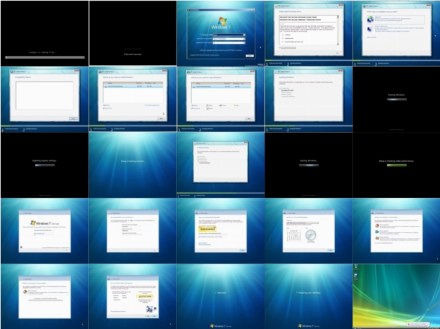
win7installall

Posted in Windows 7

Tagged Deep Zoom, DeepZoom, Windows 7, Windows 7 Install

Nov·17

Post navigation

zzLearning new software development technologies out loud

Sean Sexton

Unknown's avatar

Search

Recent Posts

  • Personal Software Development Practices
  • That Conference 2018 – An Extended Explanation of Caching
  • That Conference 2018 – Securing Your ASP.NET Core Applications

Categories

Archives

Top Posts

  • Windows 7 Install Screenshots
  • Visual Studio 2010 Install Screenshots
  • Creating a ListBox that Shows All Predefined System Colors
  • That Conference 2018 - Know What Your Code Is Doing to SQL Server
  • About
  • Session – Microsoft Sync Framework Advances
  • Using HttpWebRequest for Asynchronous Downloads
  • .NET Basics - Do Work in Background Thread to Keep GUI Responsive
  • Creating a ListBox that Shows All Predefined WPF Colors

RSS Feeds

  • RSS - Posts
  • RSS - Comments

Blog Stats

  • 1,055,575 hits
Blog at WordPress.com.
Privacy & Cookies: This site uses cookies. By continuing to use this website, you agree to their use.
To find out more, including how to control cookies, see here: Cookie Policy
  • Subscribe Subscribed
    • Sean's Stuff
    • Join 60 other subscribers
    • Already have a WordPress.com account? Log in now.
    • Sean's Stuff
    • Subscribe Subscribed
    • Sign up
    • Log in
    • Report this content
    • View site in Reader
    • Manage subscriptions
    • Collapse this bar
 

Loading Comments...